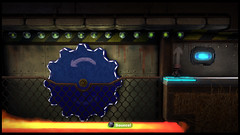
The wait is finally over and the LittleBigPlanet 2: Cross-Controller Pack is out today! This brand new pack lets you use your PlayStation Vita as a controller in LittleBigPlanet 2 allowing you to play the game in a totally new and exciting way.
Check out the new trailer for the LittleBigPlanet 2: Cross-Controller pack to see just what adventures Sackboy will be getting up to in this new pack!
Not only will you be able to play through Sackboy’s grand new adventure, we’ll also be giving you a brand new set of tools and other goodies to enable you to make your very own LittleBigPlanet 2: Cross-Controller levels!
What’s in the LittleBigPlanet 2: Cross-Controller Pack?
Sackboy’s latest adventure is chock full of a wonderful array of goodies that we know you all can’t wait to hear to find out about, so here’s a rundown of just what you’ll be getting!
- A brand new story – We have a brand new theme that will see Sackboy travelling across the Omniverse to discover the lost treasure!
- Five costumes – Sackboy will be fully kitted out for his new adventure with five brand new costumes! Don’t forget about our Cross-Buy Costumes! If you purchase this pack, these costumes will also work on LittleBigPlanet PS Vita and will become available in LittleBigPlanet Karting in a future update!
- Four new tools – The Worm Hole, the Vitanator, the Remote Tag Sensor and the Tag Radar are all available to help you create your own Cross-Controller experience.
- Creative goodies – 26 Objects, 25 Materials, 74 Decorations, 148 Stickers, three interactive music tracks and one background are all waiting to be picked up by your Sackboy to add to their Popit to help fulfil their creative needs.
- Five tutorials – Finishing up the Cross-Controller Pack, we have five brand new tutorials all voiced by LittleBigPlanet’s favourite narrator, Stephen Fry. These should really help you get to grips with the new tools and Sackboy’s headfirst dive into Cross-Controller gameplay!
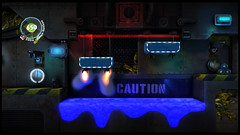
What is a Worm Hole?
The Worm Hole is Sackboy’s brilliant new teleportation tool that will enable him to travel safely from one Worm Hole to another within the same level without fear of losing a life. This handy new tool will even allow Sackboy to teleport from your PlayStation 3 to your PlayStation Vita and vice-versa, should you want him to return home!
The most intuitive and creative level designers will even be able to use the tool to remove Sackboy from gameplay and effectively lock him in a state of stasis whilst action is taking place elsewhere in the level…
However we’ll leave it up to you and Sackboy to discover just what potential his new Worm Hole discovery holds for LittleBigPlanet and the rest of the Omniverse!
Head on over to the Store today and you can pick up the LittleBigPlanet 2: Cross-Controller Pack for £3.99/€4.99.
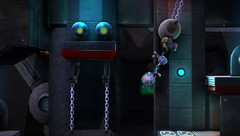
Help Sackboy save the day in his new adventure and then use your newly collected goodies to create your own levels. We can’t wait to see just what kind of Cross-Controller adventures our creative community can design!







« Previous 1 2 3 Next »
132 CommentsAdd Yours
51
Posted on 19 December, 2012 at 6:01 pm by DarthDanMan
@Sperz
It really needs to be a lot easier. Downloading it now.
Thanks to you I finally succeeded in doing it.
52
Posted on 19 December, 2012 at 6:14 pm by Rammstone
How on earth do you install this?
I’ve got LBP2 on PS3, and I downloaded the latest patch (1.20) for it. Went to the store and bought the cross controller pack, got 2 files. One for ps2 and one for vita. I installed the ps3 one and plugged vita in for the other one but it refused to copy it over because some files were missing. So fine, I went to vita store download list and downloaded it again there and when its finished it just says “waiting to install” in the notifications but nothing happens when clicking it.
what am I doing wrong? (I do not have lbp vita)
53
Posted on 19 December, 2012 at 6:14 pm by mustac17
Why isn’t it available in Croatia? ;(
54
Posted on 19 December, 2012 at 6:19 pm by Ziaro_7
@52 Ramm
the Vita file is only for Littlebigplanet vita game, and still its just a costume pack. its missing gives since you don’t have the game, which isn’t required for the cross controller feature, can just delete it.
55
Posted on 19 December, 2012 at 6:37 pm by billy-beauts
I do everything it tells me to do – “go to remote play and start cross controller”. But nothing. If remote play works, shouldn’t this?
56
Posted on 19 December, 2012 at 6:38 pm by JJI1991
Thanks for the help guys will give your suggestion ago in a minute and let you know the outcome.
57
Posted on 19 December, 2012 at 6:52 pm by B_BOPPER
can anyone give a step by step guide to changing network settings for this as i tried and failed.Feel a little shafted as there is no advice out there and i payed for it.
58
Posted on 19 December, 2012 at 7:05 pm by Mentality
Absolutely fantastic. A bit fiddly to get it up and running downloading the different parts. But once that was sorted it was a flawless experience for me and very enjoyable. Many different implementations to keep it interesting as well. I cannot wait to see how other games in the future will support this feature I just hope we don’t always have to pay for it and that it is built into the main game with only one file to download to the vita if needed which I originally thought this wouldn’t be the case since it is already a feature of the Vita, I did find that slightly confusing.
59
Posted on 19 December, 2012 at 7:08 pm by JJI1991
Still no luck
I’ve matched the ip settings etc, I’ve tried launching the game then launching cross controller on the vita and vice versa. Starting to get quite frustrated now, some instructions from Sony would have been nice, well more in depth ones then ones we got.
60
Posted on 19 December, 2012 at 7:17 pm by JJI1991
Just done it. Thank you so much for your advice guys, if anyone fancies a game sometime feel free to add me. Hope to see you in CraftWorld, Sack folks!
61
Posted on 19 December, 2012 at 7:29 pm by Skookie30
Wonder bar PSN is down it went to 77mb then total stop again,
62
Posted on 19 December, 2012 at 7:44 pm by B_BOPPER
@JJI1991 how did you do it?
63
Posted on 19 December, 2012 at 7:48 pm by Skookie30
Let me do 1 more thing then I reboot my router I’m sure it not that as I had a PSN sign out error number HA. :/
64
Posted on 19 December, 2012 at 8:15 pm by Gmjorge
Ok I’ve got ….
Put the game on the ps3, and go ingame store, there you seek the cross-controller pack, and you give to the planet. In the vitaactive cross-controller, and start downloading of 483 Mb, when finished will install the application on the vita, and since the game Ps3, detect the vita … I’ve tried it, it’s super fun , WII U gamepad, trembles, if Sony supports the cross-controller, we have nothing to envy to Nintendo. A greeting.
65
Posted on 19 December, 2012 at 8:18 pm by Skookie30
Christ sakes Do something I don’t believe you got it sorted I’m getting 2 messages each going 1 message to the other message.
1st message “start [littlebigplanet2 cross controller] on the ps vita system.
If you not installed [littlebigplanet2 cross controller], go to [remote play] on the ps vita system and start [cross controller from the livearea screen.
2- connected to the playstaion vita system.
All night it goes from message 1 to message 2 then back to message 1 nice for 4 quid eh.
66
Posted on 19 December, 2012 at 8:22 pm by B_BOPPER
HELP!!!!!!! can somebody help i have tried everything it’s not working i cant even download the vita cross controller pack from ps3 to vita yet i have done it with all the lbp vita dlc.Is there a problem with the updates AAARRRGGHHHHHHHH
67
Posted on 19 December, 2012 at 8:25 pm by Skookie30
It not stop at 133mb with the 1st message I got a message on my vita says my download failed. epic Fail.
68
Posted on 19 December, 2012 at 8:26 pm by sparkkydd
Its not working, whats going on. please do not tell me I have just wasted my money & have to wait a couple of days for it to be fixed because Im traveling tomorrow and really wanted to try this out before I leave.
69
Posted on 19 December, 2012 at 8:30 pm by Skookie30
3 errors I got showing.
1- could not download (NW-5603-4)
2- could not download (C2-13245-5)
3- could not download (NW-5603-4)
70
Posted on 19 December, 2012 at 8:53 pm by Onlytripleseven
This is not working for me.
I’ve got the latest Firmware on both PS3 and Vita. Plus latest patches on both LBP2 and LBP-Vita, as well as latest Live arena patches.
After reading messages here, I’ve changed the Subnet mask, Primary and secondary DNS server address so they are the same on both the PS3 and Vita. Both devices are on the same WiFi network, I also tried using a wired connection on the PS3.
The PS3 is waiting for the Vita to connect and is asking me to ‘start LBP2 Cross controller on the Vita System’
I downloaded the LBP cross controller item twice for the Vita. Once I transferred data using content manager, the second I downloaded the data using the Vita going back to my download list on the PSN Store.
I’m using the cross-controller option in the remote play section on the Vita menu and it’s waiting for the PS3 software that supports Cross controller.
- I’m an experienced console and PC user, and this should be working as far as I’m concerned. So if I’ve missed something, this feature is way to hard to set up for an average user and needs to be sorted out.
Can an admin PLEASE write a guide here on the correct set up as this is a nightmare.
71
Posted on 19 December, 2012 at 9:06 pm by B_BOPPER
@onlytripleseven i have tried it all as well the only thing left is to punt kick the vita into a neighbours garden and get a wii u lol.
72
Posted on 19 December, 2012 at 9:10 pm by Gmjorge
Go to the store ingame LBP2, inside the game, search the cross-controller pack and touch “go to planet”. In vita enter in cross-controller, and the vita start the app download (483 Mb), when it is finished,vita will install the app in the live area . Later open the app, and right!!!
73
Posted on 19 December, 2012 at 9:14 pm by BessieSABU
Hi,
I had just the same problem, nothing worked… in LBP2 after I run pad computer there was no icon crossplay (but you need it for this)… than I finished first level and went back to pad and I got crossplay icon on pad, I click it and successfully connected Vita to LBP2, you will need approx. 500MB of space on Vita memmory card…
74
Posted on 19 December, 2012 at 9:16 pm by gldy
finally after nearly strangling myself i got it to work. if anyone is reading this try and make sure your network settings on your vita match the settings on the ps3
75
Posted on 19 December, 2012 at 9:28 pm by TheMART
Working perfectly fine…
I think many just do it wrong. Try this guide:
1. Ofcourse first you buy the Cross Controller LBP DLC in PSN Store (make sure it is the region/store that matches your game. Although Pirates of the Carribean and MGS pack that I bought for PAL LBP work on both PAL/EU as well as NTSC/USA LBP2 -I own both, USA on disc, EU PS+ download-, this cross controller pack DOES NOT. I bought it on my PS+ account for EU and it only pops up on the PAL/EU PS+ LBP2)
2. Boot up your LBP2 game on PS3. I had my PSVita connected with the USB cable to the PS3 already and the REMOTE CONTROL app I had started up, you can select CROSS CONTROLLER at the right. Go into the pod of LBP2. Go to STORE on the pod. Go to ‘My Stuff’ or something at the bottom. There you see the cross controller pack. Click that one, it’ll say it connects to the PSVita and it’ll display that it needs to download stuff. On the PSVita it’ll also show that it is downloading a 482MB file.
3. After it is downloaded, I disconnected the USB cable from the PSVita, I returned to the home screen on PSVita with PS button. The app started installing.
76
Posted on 19 December, 2012 at 9:30 pm by TheMART
4. After installation was done, I booted the app on PSVita. It said connect to PS3 in the middle of the screen. At this point in time on the PS3 you should be in the Store/My Stuff section and having clicked the Cross Controller DLC, it’ll show some kind of PSVita connection screen. If you’re on the same network, after tapping connect on the PSVita screen it’ll autoconnect to the PS3 and LBP2 and the DLC story will autostart
Hope this helps everyone that can’t get it done up till now!
77
Posted on 19 December, 2012 at 9:44 pm by B_BOPPER
when i go to store and go to cross controller download through the game it says purchased i cant click on it i go back to pod and click cross controller do same with vita and nothing.
78
Posted on 19 December, 2012 at 9:49 pm by TheMART
@ B_Bopper
I bought the cross controller pack in PSN store, so I can’t say if something went wrong with you buying it in game.
Did you have the PSVita connected to the PS3 by the USB cable and do you have the Remote play app booted up, then the Cross Controller picture tapped on the right side before you go on PS3 to the downloaded cross controller pack in the pod in LBP2 in Store/My Stuff section?
79
Posted on 19 December, 2012 at 10:04 pm by B_BOPPER
@TheMART. I also purchased off psn but just says purchased on the in game store so cant do it that way i have tried with usb connected and not connected i dont know if i have tried it the way you are stating but will give it a try and let you know and thanks for trying to help.
80
Posted on 19 December, 2012 at 10:09 pm by Skookie30
Thought so Steve you don’t know what you saying. Just to prove my point also it told me I need about 500mb left for it so I deleted the LBP-via from my vita as you said I do not need it but now instead on cross controller.
I’m not getting any downloading Kb or mb it just step 1, so i need the lb-vita then the 100kb file on it. I do Not need to play on LBP-vita to use it but I need it on my vita.
Ppl when you buy the DLC today how many download file do you had? I got two, what do the 2nd file icon says? it says vita.
So now I’m downloading all of it back it take ing ages
81
Posted on 19 December, 2012 at 11:02 pm by B_BOPPER
no not working set it up same went into my stuff on game went to planet clicked that and still no response from the vita…..
82
Posted on 19 December, 2012 at 11:07 pm by TheMART
Try to describe more precise as I can’t make up what you do exaclty…
You had PSVIta connected to the PS3 with the USB cable and the Remote control app started, then tapped on the right side the Cross Control? You got that blue screen on PSVita with the PS3 and PSVita both drawn on it?
You went to planet, you mean you were on the Pod, then you went to the store in the pod of LBP2, went to ‘My Stuff’ and clicked on the Cross Controller DLC pack on the PS3?
Neither of the devices asked to connect or did anything?
83
Posted on 19 December, 2012 at 11:21 pm by TheMART
@ Bopper
A website made a tutorial with pictures, maybe this can help you out
http://terminalgamer.com/2012/12/19/how-to-setup-littlebigplanet-2-ps3-and-the-ps-vita-for-cross-controller-play/
84
Posted on 19 December, 2012 at 11:23 pm by NightRanma
Are you people serious? Charging to be able to use cross-controller? Way to totally ruin one of the original interesting things about the Vita that was announced before release. Take almost a bloody year to actually get it out, then expect people to pay money for a 209 KILOBYTE file.
85
Posted on 19 December, 2012 at 11:25 pm by B_BOPPER
@TheMART yes thats exactly what i did the blue screen on the vita and the black screen on the ps3 telling me to start cross controller on the vita and nothings happening.
86
Posted on 19 December, 2012 at 11:27 pm by TheMART
@ NightRanma, they don’t
You pay for the new story you get in the pack. The cross control works for free with user made cross control levels.
Second, the data for the DLC storymode itself is in the LBP update, it is activated with the key you buy/download which is a 100 or 200KB file.
It has been like this more often, with former Pirates of the Carribbean and Metal Gear Solid pack too.
87
Posted on 19 December, 2012 at 11:35 pm by B_BOPPER
@TheMART i cant even get the vita to install the controller pack from the ps3 it says cannot download when on content manager what am i doing wrong? remote between the 2 is fine it just wont download through content manager to the vita
88
Posted on 19 December, 2012 at 11:38 pm by Kurupt_El_Don
right this is bcummin extremely frustrating now..i simply cant make it work..!!!!!!!tried to copy the ps vita add on using content manager but it wont let me..does anyone know how to make it work??thanks
89
Posted on 19 December, 2012 at 11:47 pm by TheMART
I’m spamming the same link another time, maybe you both haven’t seen it yet…
http://terminalgamer.com/2012/12/19/how-to-setup-littlebigplanet-2-ps3-and-the-ps-vita-for-cross-controller-play
90
Posted on 19 December, 2012 at 11:48 pm by B_BOPPER
@Kurupt_EI_Don im having the same problem click on the bubble on ps3 then connect vita then content manager go to ps3/vita click copy and it says cannot copy the following content this application cannot be copied on the ps vita are you getting the same……i really want to punch my vita now but its looking at me.
91
Posted on 19 December, 2012 at 11:48 pm by TheMART
oh, take away the space at ‘littlebigpl anet’ in that link or otherwise it won’t work. My tablet makes a strange breakup in that link for no reason
92
Posted on 19 December, 2012 at 11:50 pm by TheMART
@ Bopper
I got that ‘cannot copy the following content’ to PSVIta also, check the link I just gave and continue after you got that.
93
Posted on 19 December, 2012 at 11:52 pm by B_BOPPER
@TheMART yes seen it but cant copy the bubble on ps3 to vita via content manager meaning no application on the vita for cross play it says cannot copy the following content i think people are getting the same outcome as me like i said all lbp vita dlc i did this way but this just will not its like the ps3 version of the app is trying to install on the vita even though on the dash it says it is for the vita….ive got a headache now.
94
Posted on 19 December, 2012 at 11:58 pm by B_BOPPER
@TheMART it says go through content manager to connect the ps3 to vita i presume it means downloaded from ps3 then you get the pack you tick it and copy then after that it refuses to copy.
95
Posted on 19 December, 2012 at 11:59 pm by TheMART
No the bubble on PS3 to vita in content manager didn’t work for me either.
That is not how the application on PSVita gets installed though…
The Cross Controller app gets on your PSVita by using the REMOTE CONTROL app that is already there on your system. If that is started + chosen for cross control after it is started, connected to PS3 with LBP2 running in the pod the Store/My Stuff and then Cross Control DLC clicked, THEN it transfers the 482 MB file which makes the app on your PSVita
Forget about that bubble on your PS3 for now, that one is NOT making a new app on your PSVita. Read the tutorial on the link another time really
96
Posted on 20 December, 2012 at 1:01 am by Alex-and-Emmy
Steven Wrote: “With the exception of the Vitanator, all of the news tools and goodies can be used in your community levels without requiring a PlayStation Vita!
The Worm Hole, Materials, Decorations, Music and so much more will all be useful to any creator looking to expand their tool bag!
”
–
Just bought the pack and I’m either doing something wrong or Steven was lying..
No materials/tools etc. come unlocked at the start, I take it you have to find them in the levels like most level kits.. But how am I supposed to even do that? I can’t even access the levels because it’s telling me to connect my Vita which I don’t own!
So either Steven didn’t explain properly or I’m doing something wrong… I hope I haven’t wasted some money.
Any help?
97
Posted on 20 December, 2012 at 1:37 am by Kurupt_El_Don
@B_BOPPER have you made it work m8??i did..cant believe how easy it is and thinkin i was moanin cuz of it lol..if u r still having problems with it let us know.thanks
98
Posted on 20 December, 2012 at 8:22 am by TigerLust
Hi, I am one of those without a Vita that has been enjoying the DLC Pack – however, I played over 20 community cross-controller levels and my pin still shows 0/5 progress for the trophy. I actually played with a friend who has a Vita, and he got the trophy, but no progress on my end. Can you fix this?
99
Posted on 20 December, 2012 at 9:06 am by Tod_UK
Does not work for me either, and I have tried all the above.
100
Posted on 20 December, 2012 at 9:35 am by Skookie30
right i sleep it off leave alone, downloaded LBP–vita it patch & the 2nd file onto the vita the 1st file onto LBP2. now when i try press cross controller im not getting steps2 that download the App onto the Vita.
there must have pulled from the servers Now i want my money Back.
« Previous 1 2 3 Next »
We close the comments for posts after 30 days. If you would still like to comment on this post, please use our contact form.